Streamline Your Browsing with Timeline Remove

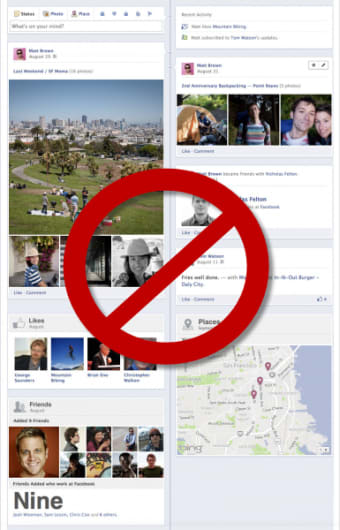
Timeline Remove is a free add-on tool designed for Windows users, enhancing the browsing experience by simplifying the interface. This application focuses on removing unnecessary timeline features from various browsers, helping users achieve a cleaner and more efficient browsing environment. It is particularly useful for those who prefer a distraction-free online experience without the clutter of non-essential elements.

Top Recommended Alternative

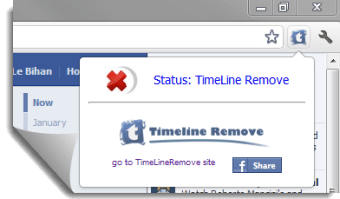
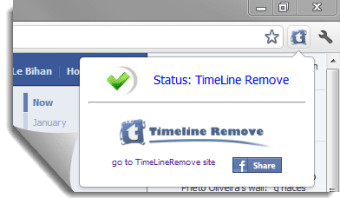
As an add-on, Timeline Remove integrates seamlessly with existing browser setups, offering a straightforward installation process. Once activated, it effectively removes or hides timeline sections, allowing for quicker access to essential features. This tool is ideal for users looking to customize their browsing experience and optimize their workflow without the need for complex adjustments or configurations.


 0/3

App specs

  • License

    Free

  • Version

    1.5.9.2

  • Latest update

  • Platform

    Windows

  • OS

    Windows 7

  • Language

    English

  • Downloads

    450K

  • Size

    275.89 KB

  • Developer

    • Visit Website

Program available in other languages


User reviews about Timeline Remove

3.2

6 reviews

Add review

Main reviews for you

  • Anonymous user

    It is Magical!!. It's like magic!! I love it. Finally back to basics again!!

  • Anonymous user

    Timeline Remove is Amazing. I love timeline remove. I found that the timeline format on FB is confusing to me....must be old age lol. But with the timeline remove I don't have to search around for recent posts, makes it so much easier. I have recommended it to all my friends who also find Timeline a total mess. Pros: If I should need to find a particular post in a certain time period, I can turn off timeline remove to do that, then turn it back on.

  • Anonymous user

    This is incredible!!!. Thanks so much, it works perfectly! Timeline is cool and all but the basic Facebook is a million times better! 100% respect for whoever made this extension! :D As for you, Ayasapir, try just removing the extension from Google Chrome! Pros: Takes 5 easy steps to install/activate Cons: There is nothing negative!

  • Anonymous user

    Timeline remove. This worked perfectly I could not fault it in anyway. But it has stopped working I tried the restyle timeline but couldn't get on with it. Is this software going to come back? So many people use it and it has proved to be a valuable tool. Pros: Perfect Cons: None

  • Anonymous user

    Wooow..this is incredible. Thank you very much for that, but I hope that there will be another extension for the internet explorer I used to browse very soon, however, of course I could handle Google Chrome but never Timeline

  • Anonymous user

    Only Removes Timeline on Your Personal Page. If you admin pages, don't expect this to remove timeline from them. If you visit other facebook pages besides your own, don't expect it to remove it from them, either. For this reason, this extension is only minimally useful.

More

You may also like

Alternatives to Timeline Remove

Explore Apps

Latest articles

Laws concerning the use of this software vary from country to country. We do not encourage or condone the use of this program if it is in violation of these laws.
Softonic

Is Timeline Remove safe?

100/100

Score result: Clean

This file passed a comprehensive security scan using VirusTotal technology. It is safe to download.

  • Virus free
  • Spyware free
  • Malware free
  • Verified by Security Partners

    VirusTotal logo

Scan Info

Last scan
Thursday, November 16, 2023
Scan provider
VirusTotal · Full report

File Integrity

File
TimeLineRemove.crx
SHA256
d01a856c3ecd19c950cc087bba87543ad7390e1071575030c1ecd488966b5e46
SHA1
226869333ea14cad3670ac44f58ab3d3bbbc5237

Softonic security commitment

Timeline Remove has been thoroughly scanned by our advanced security systems and verified by industry-leading partners. This file comes from the official developer and has passed all our security checks, showing no signs of viruses, malware, or spyware. For more information, visit our Security and Trust Center